
Path of Idle Offline Rewards Guide: Caps, Storage & Automation
Prepare Path of Idle patch 1.0.9 offline sessions with a practical checklist for Worshiper scaling, fixed resource caps, storage, combat lines, and automation audits.
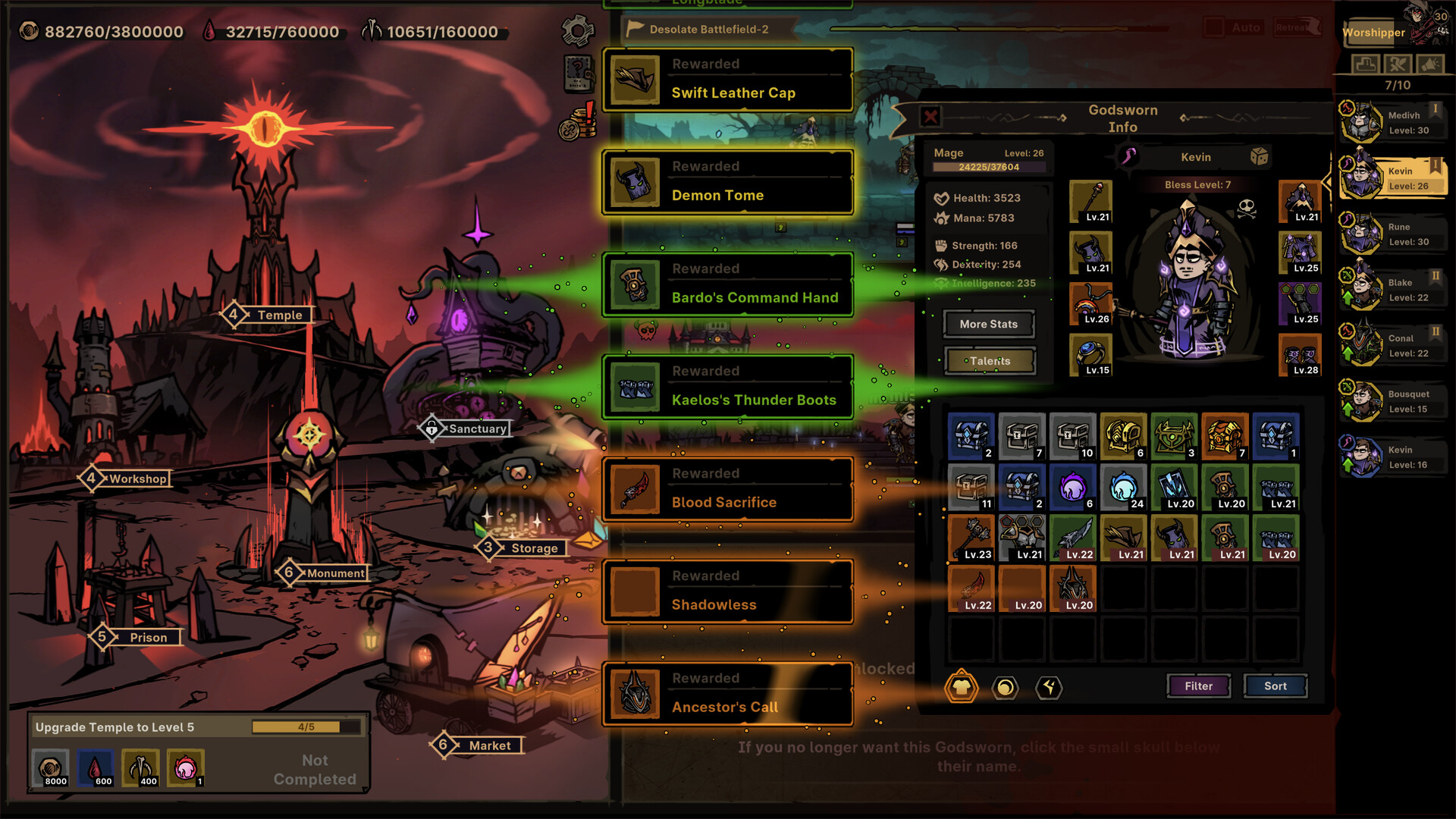
Returned loot competes for review and storage space; Patch 1.0.9 governs current resource-cap and stacking behavior.
Credit: Official Path of Idle Steam store screenshot ↗
Version note: The image illustrates reward flow, not current offline reward amounts.
Quick Answer
- ✓Patch 1.0.8 reworked offline rewards and added resource rewards.
- ✓Offline amounts increase gradually with Worshiper level; the public note does not provide a complete formula.
- ✓Make room under resource and storage caps, then test a short offline cycle before leaving for longer.
Patch 1.0.9 Cap and Claiming Update
Version 1.0.9 resolves the resource-cap warning from 1.0.8. Gold, Blood, and Bone now have fixed very high caps. Offline rewards beyond those caps are discarded, but overflow can no longer prevent the rest of the offline claim. Warehouse Core Renovation no longer raises resource caps; it now increases high-quality chest spawn rates during Adventure. Make room when a capped resource matters to your next upgrade, but do not expect Warehouse renovation to expand that cap.
What Changed in Offline Rewards in Patch 1.0.8
The official 1.0.8 announcement says offline rewards were reworked and additional resource rewards were added. Offline amounts now increase gradually with Worshiper level, and the Supporter Pack's offline-income bonus takes effect once obtained. The same note warned that resource-cap issues would be handled in a later update. That warning changes the best preparation: maximizing theoretical generation is less useful when a resource is already at its cap. This guide focuses on preserving useful rewards and diagnosing the result rather than promising an undocumented per-hour formula.
Before Logging Out: Name the Next Resource Goal
Write down the next concrete goal—a Temple renovation, Workshop function, recruit refresh, equipment upgrade, or other visible requirement. Then identify which Journey or Exploration line produces the limiting material. A session that returns a large quantity of the wrong resource has not advanced that goal. Move stable combat lines toward the required material while keeping the pushing line strong enough to reach the next meaningful unlock. This turns offline time into part of the progression plan instead of a disconnected pile of rewards.
Continue with: beginner progression and bottleneck route
Create Space Below Resource Caps
Inspect resources connected to the next upgrade and spend only when the purchase is already useful. If a relevant resource is near its visible cap, create room before leaving; otherwise part of the offline gain may have nowhere to go. Do not drain every currency merely to create space, because reserves protect the account when a new Monument objective or patch changes priorities. The 1.0.8 developer note explicitly flagged cap issues for later work, so record which resource was near its limit when an offline result looks unexpectedly small.
Protect Inventory and Vault Capacity
Clear enough equipment space to inspect unfamiliar sets, sockets, Legendary or Mythic items, and pieces that grant skills. Launch notes have changed Vault comparison and replacement behavior, so avoid an aggressive filter until you know what the installed version does. Keep items tied to an untested build or Runeword and remove obvious low-value duplicates manually first. If the return screen shows fewer useful items than expected, separate a capacity problem from a drop-rate assumption by checking filters, Vault space, and automation history before changing the farming line.
Continue with: Runewords and equipment checklist
Enable Automation One Rule at a Time
Version 1.0.7 expanded Market and Prison auto configuration, added automatic Outlands plane switching and Exploration level-up settings, and allowed Exploration downgrades. Version 1.0.8 added combat auto configuration. These systems can save time, but each can also repeat a poor instruction. Enable one rule, watch a complete manual or short idle cycle, and inspect purchases, recruits, replacements, filters, and line movement. Only then add the next rule. Leave spending limits and spare capacity where the interface allows them.
Source: Official Path of Idle announcement feed — versions 1.0.7 and 1.0.8 ↗
Run a Short Offline Test First
Before an overnight or workday session, leave for a short interval and capture the starting levels, target resource, active lines, storage space, and automation settings. On return, record what increased, what capped, whether a line stalled, and whether automation spent or replaced anything. The purpose is not to calculate a universal rate from one sample; it is to validate your own current setup. Change one condition and repeat if the outcome is poor. This controlled test is more reliable than copying a screenshot from a different Worshiper level or patch.
How Worshiper Level Affects Planning
The official wording says offline amounts increase gradually with Worshiper level. It does not publish the complete curve in the announcement, so avoid projecting exact gains from an old level or another player's account. Treat Worshiper progression as a durable multiplier and capacity as the immediate operational constraint. When comparing two sessions, note the Worshiper level, patch, duration, active lines, and any Supporter Pack bonus. Without those details, a higher or lower return cannot be attributed to one cause.
Diagnose a Low or Missing Offline Reward
First confirm the game is on the expected version and Steam completed the update. Next check whether the target resource or storage was capped, whether the intended combat or Exploration line was active, and whether an automation rule redirected spending or progression. Restart once and reproduce with a short, low-risk session. If the same issue persists, save the before-and-after values, version, platform, duration, and screenshots for a developer report. Do not delete saves, reinstall blindly, or claim a global bug from one unexplained return.
Continue with: safe troubleshooting sequencesave-error recovery guide
The 60-Second Offline Checklist
Confirm the patch and the next resource goal. Put stable lines on the material that serves that goal. Create room under relevant caps and in Inventory or Vault. Review Market, Prison, Exploration, Outlands, combat, and equipment automation, changing nothing you have not tested. Note Worshiper level and whether the Supporter Pack bonus applies. Run a short return test after a new patch or major configuration change. When you come back, inspect caps and spending before concluding that the reward system failed.
Continue with: read the unchanged patch-notes tracker
Related Guides
Evidence Sources
- Official version 1.0.8 announcement ↗
- Official Path of Idle announcement feed ↗
- Official Steam store ↗
- SteamDB app history ↗
Revision note: checked against the sources above on 2026-08-26. Recheck in-game tooltips after every balance update.