
Path of Idle Auto Sell & Item Filter: A Safe Setup Workflow
A player-first Patch 1.0.9 workflow for cleaning loot without selling a set piece, socketed item, unique effect, or build candidate you still need to inspect.
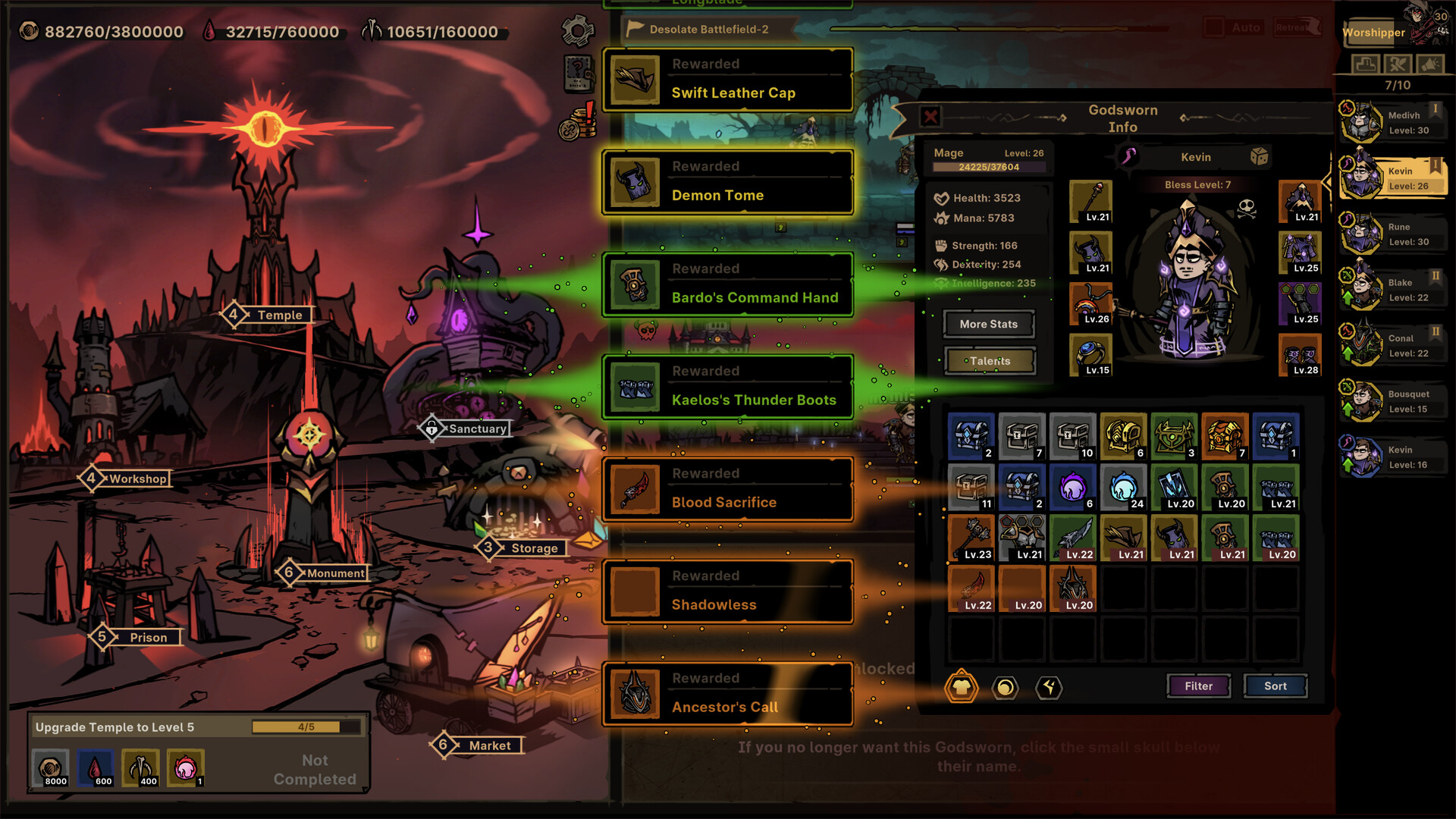
The inventory view shows why cleanup needs guardrails: equipment, sets, runes, chests, and other materials share limited review space.
Credit: Official Path of Idle Steam store screenshot ↗
Version note: Official store media is used for interface context. Button positions and filter options must be checked in the installed 1.0.9 build.
Quick Answer
- ✓Protect set pieces, sockets, unusual effects, and current-build candidates before enabling a broad sell rule.
- ✓Start with one conservative condition, observe a complete loot cycle, then widen the rule only after reviewing the result.
- ✓Patch 1.0.5 added socket-count filtering and Auto-Buy; later patches expanded Market automation and warehouse handling.
Why a Safe Filter Matters More Than an Aggressive Filter
Players describe loot review as repetitive because a large number of affixes can appear and the interface does not decide whether an item supports a specific build. Automation can remove clicks, but it cannot know that a low-level set piece completes a bonus or that an item with sockets is being saved for a future Runeword. Treat the filter as a disposal rule, not an equipment recommendation. Anything that still needs a build decision should remain visible for manual review.
Source: Steam community review feed ↗
Step 1: Create a Protected Review Group
Before changing automation, identify the items that need a human decision: equipped gear, pieces that complete or advance a set, socketed candidates, items with a unique or build-enabling effect, and one comparison candidate for each active Godsworn. Lock, move, or otherwise separate them using the controls available in your installed build. The public patch notes do not document every current filter field, so this guide does not claim that a particular protection toggle exists. The goal is simple: no broad rule should be able to reach an unresolved item.
Continue with: compare affixes, sockets and sets together
Step 2: Open Filter and Read the Current Conditions
Open the inventory or equipment view and use the visible Filter control. Read each condition in the current client before enabling it. Patch 1.0.5 officially added socket-count filtering and Auto-Buy to the Market, while 1.0.7 expanded Market automatic configuration. Those notes confirm the feature direction, but they do not justify inventing a universal click-by-click preset because the full list of fields can change. If an old video shows different labels, follow your installed UI.
Step 3: Begin With the Narrowest Disposal Rule
Choose one condition that describes items you have already decided not to use. Do not combine quality, level, socket, set, and affix rules on the first pass. Run one short loot cycle, return to the inventory, and inspect what disappeared and what remained. If the result is correct, add one more condition. If a valuable category is affected, disable the new condition immediately. This one-variable workflow takes longer to configure once, but it is safer than discovering after an overnight session that the rule removed a build component.
Step 4: Compare an Item Beyond Its Total Score
When an item survives the filter, compare requirements, base attributes, ordinary affixes, rare or legendary effects, sockets, and set progress. The official store screenshot demonstrates that a lower-total set item can offer named set bonuses while another item offers more affixes and an unlocked skill. That image does not prove which item is better: the winner depends on the Godsworn's role and current build. Equip only after checking what the line is trying to accomplish.
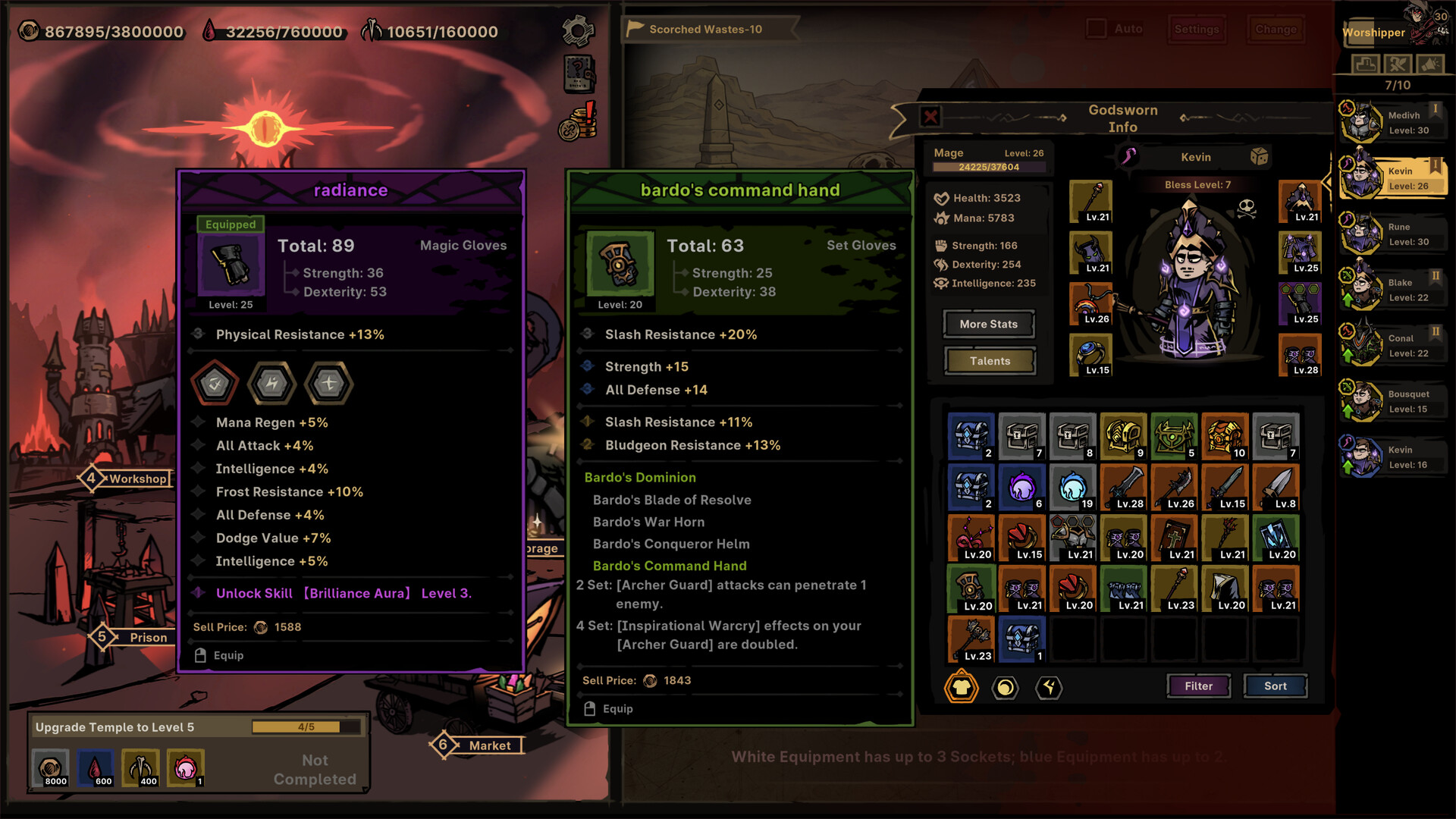
A direct equipment comparison can include total score, affixes, sockets, an unlocked skill, and multi-piece set effects. No single line decides the result.
Credit: Official Path of Idle Steam store screenshot ↗
Version note: The screenshot explains the comparison task, not current balance values or a recommended item.
Step 5: Leave Capacity Before Going Idle
Leave enough warehouse and bag space for anything your rules intentionally preserve. Version 1.0.9 fixed a case where Runes could be lost when bag slots were insufficient and fixed an incorrect full-bag message in Sanctum Combine. Updating reduces known failure cases, but it does not make a full inventory a good operating state. After a long return, inspect protected drops first, then adjust only the rule responsible for the remaining clutter.
Source: Official version 1.0.9 update ↗
What This Guide Does Not Claim
There is no verified public table that makes every item below a fixed quality or level universally safe to sell. This page therefore does not publish one aggressive preset, hidden item scores, or a list of guaranteed best affixes. Build value changes with class, skills, sets, sockets, patch changes, and the rest of the combat line. Use this workflow to reduce repetitive review while keeping uncertain decisions reversible.
Related Guides
Evidence Sources
- Official Path of Idle update feed (versions 1.0.5, 1.0.7 and 1.0.9) ↗
- Official Steam store and screenshots ↗
- Steam player feedback: item filter and combat-stat requests ↗
- Steam community review feed: loot-management complaints ↗
Revision note: checked against the sources above on 2026-08-26. Recheck in-game tooltips after every balance update.